 Giano Care
Organization settings
Name, logo and colours, language and time zone, call limit, public form and data retention.
For owners
Settings holds everything about your organization as a whole. Only owners can change it. Press Save settings at the bottom when you are done.
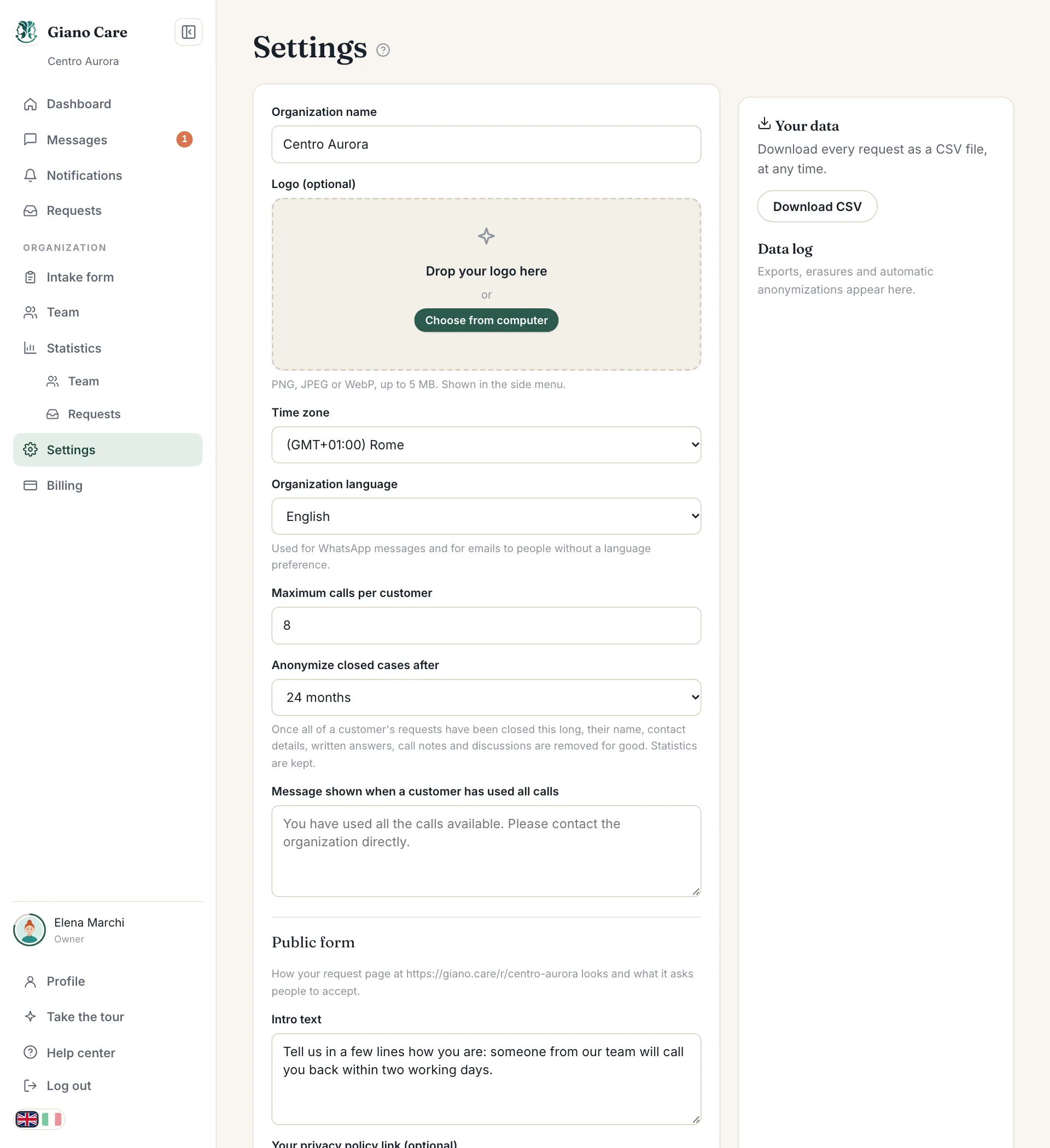
Your organization
- Organization name: shown in the side menu, on your public form and in emails.
- Time zone: used for every date and time, such as calls in the agenda.
- Logo (optional): PNG, JPEG or WebP, up to 5 MB. Shown in the side menu, on your public form and on PDF reports.
- Organization language: used for WhatsApp messages and for emails to people who never chose a language.
Call limit
- Maximum calls per customer: leave empty for unlimited.
- Message shown when a customer has used all calls: what people read if they ask again after using them all.
See Call limits.
Public form
How your request page looks and what it asks people to accept:
- Intro text: the sentence at the top of the form.
- Your privacy policy link (optional): the form links it instead of Giano Care’s privacy page.
-
Brand colour (optional): a hex code like
#2c5a4d. Buttons, links and the header of the form take this colour, and so do your PDF reports.
See Share your form.
Anonymize closed cases
Anonymize closed cases after chooses how long to keep personal details once all of a customer’s requests are closed: 6, 12, 24, 36 or 60 months, or never. After that, their name, contact details, written answers, call notes and discussions are removed for good. Statistics are kept. See Privacy and your data.
Your data
The side panel lets you Download CSV with every request at any time, and keeps the Data log: every export, erasure and automatic anonymization, with who did it and when.
How customers are shown
Which names appear in the lists for each role is set from Requests → Display; see How customers are shown.