 Giano Care
Call limits
Limit how many calls each person can have, for the whole organization or one request at a time.
For owners, managers, and professionals
Many services offer a fixed number of free calls per person. Giano Care counts them for you, so nobody has to keep a spreadsheet.
The organization’s limit
The owner sets Maximum calls per customer in Settings. Leave it empty for unlimited calls. The limit counts calls marked Done across all of a person’s requests: a no-show or a cancelled call doesn’t count.
When someone has used them all
If a person who already used all their calls fills in the form again, Giano Care doesn’t create a new request: it shows them a message instead. The owner writes that message in Message shown when a customer has used all calls; by default it asks them to contact the organization directly.
A different limit for one request
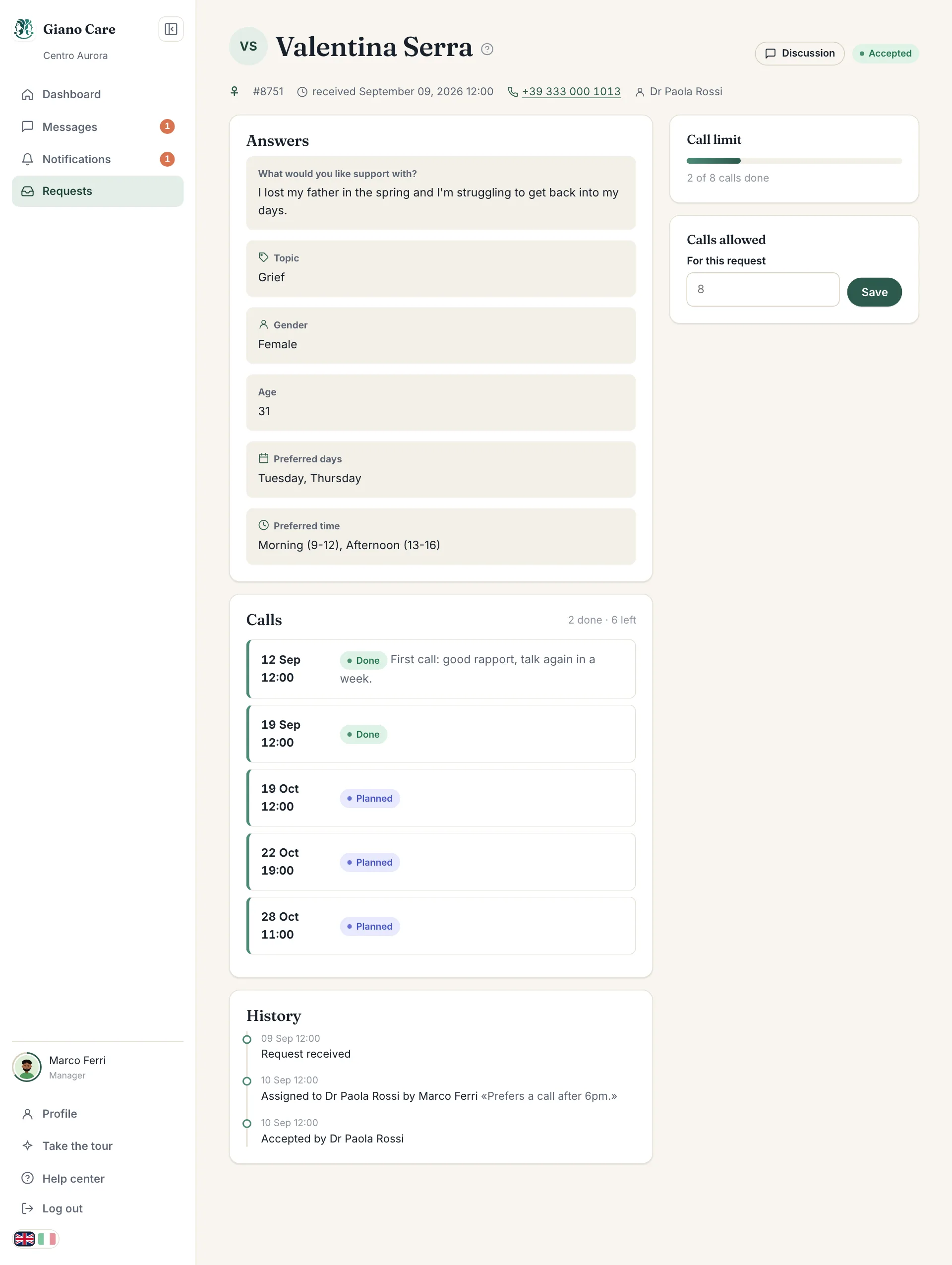
A manager can set Calls allowed on a request, under For this request, to give one person more (or fewer) calls than usual. Empty the field for unlimited calls on that request. See Route a request.
What professionals see
On each request, the Call limit card shows a bar and “n of limit calls done”, and Calls shows how many are done and left. When the limit is reached, booking is blocked with Call limit reached. Ask a manager to raise it for more calls.