 Giano Care
How customers are shown
Choose, for each role, whether lists show full names, initials or only an ID.
For owners and managers
Requests often hold sensitive information. To limit who sees names at a glance, you can decide how each role sees customers in the lists. Open Requests and choose Display.
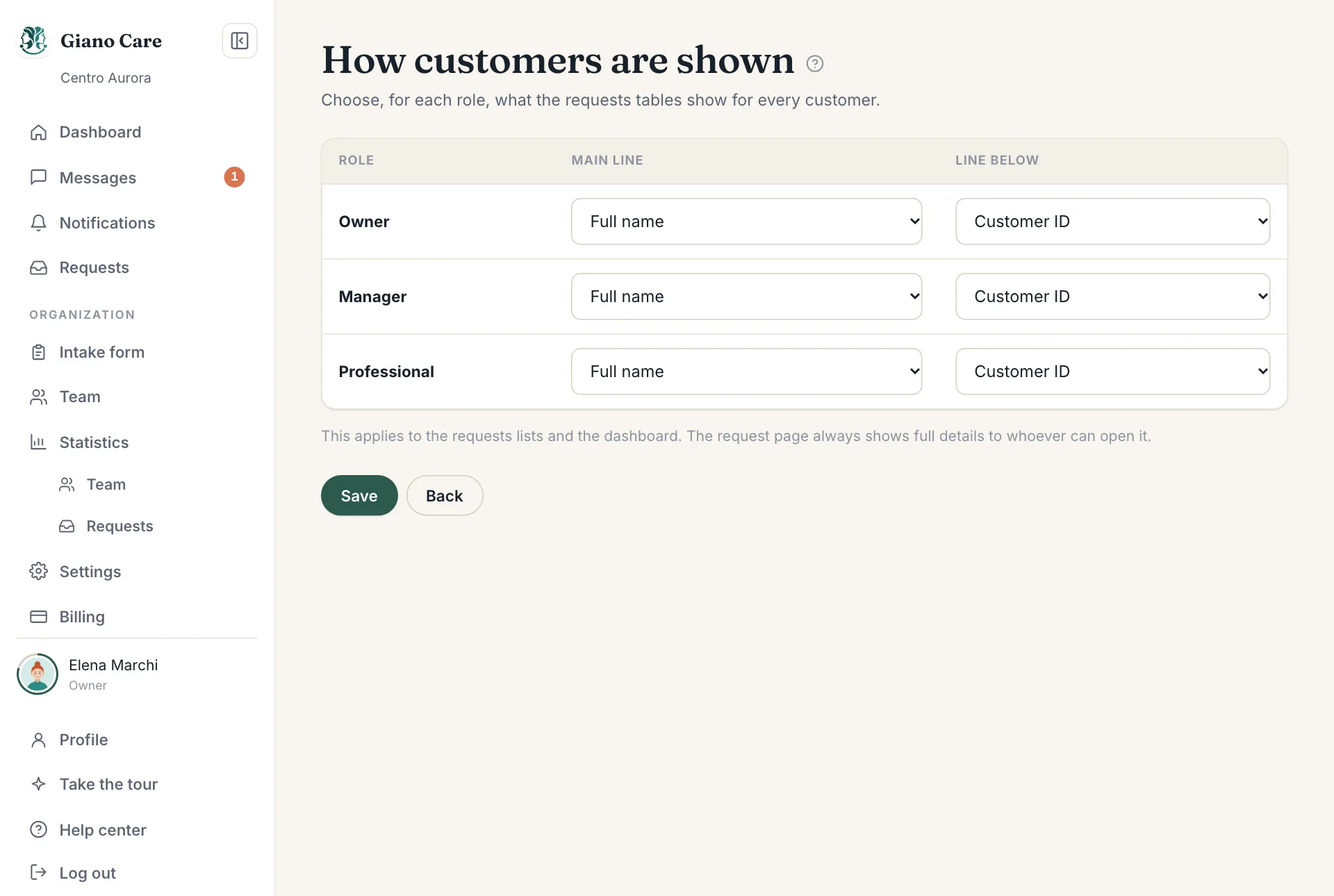
The two lines
For each role (owners, managers, professionals) choose:
- Main line: Full name, Initials only or Customer ID only.
- Line below: the Customer ID or the Phone number.
Press Save. The choice applies at once to the requests lists, My customers, the dashboard and notifications.
What it doesn’t change
The request page itself always shows the full details to whoever is allowed to open it: a professional still needs the name and phone number to call the person back. This setting only decides what appears in lists and at a glance, for example on a shared screen.
A common choice: full names for professionals (they call people back), initials for managers.