 Giano Care
Book and record calls
Plan each call, mark it done or missed, keep private notes and close the request at the end.
For professionals
Once you have accepted a request, its page becomes your working file for that person: answers on the left, calls below, and the request’s status on the right.
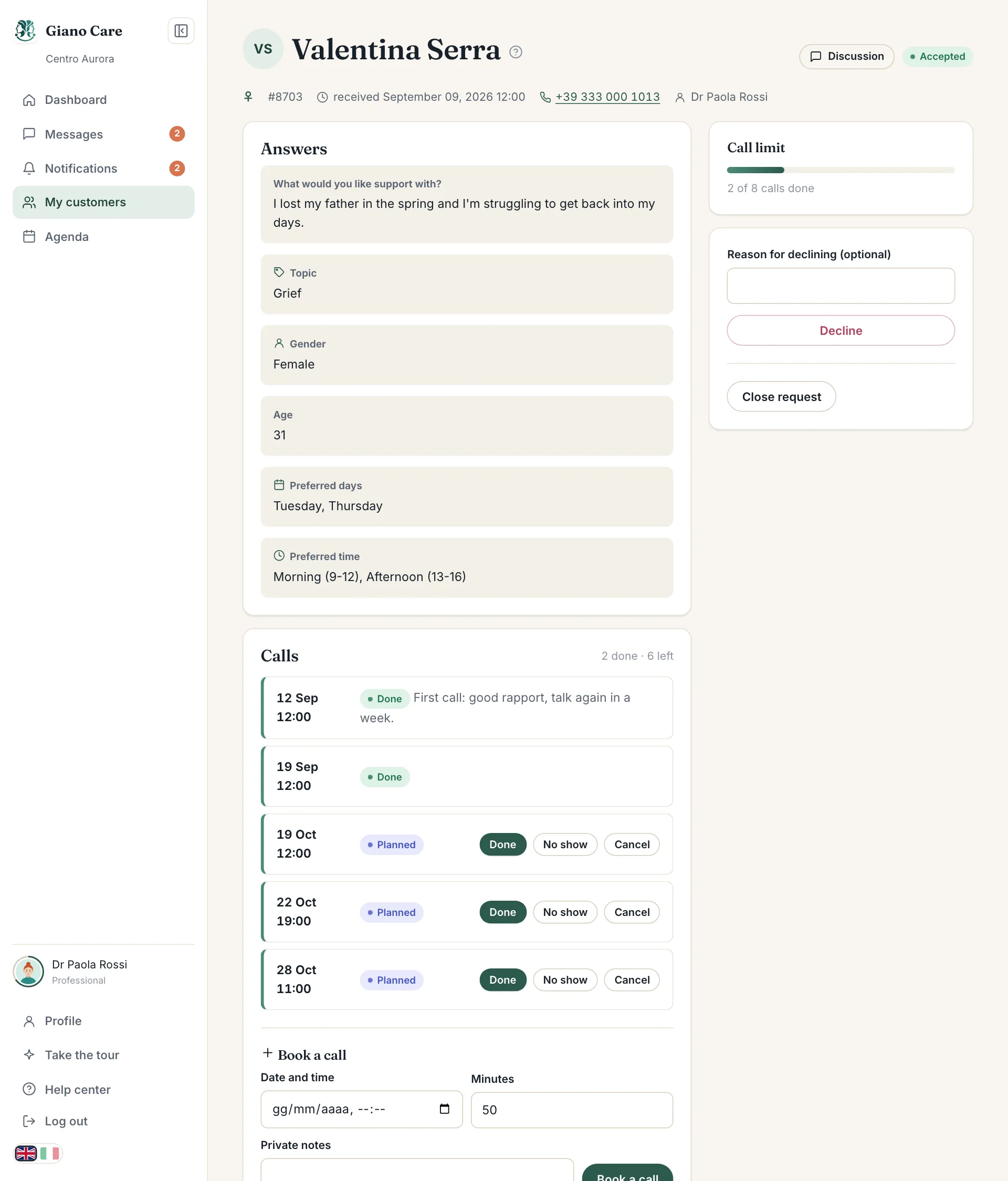
Book a call
Under Calls, in Book a call:
- Choose the Date and time.
- Set the length in Minutes.
- Optionally add Private notes.
- Press Book a call.
The call appears in the list and in your agenda. Times use your organization’s time zone.
Record how it went
Each planned call has three buttons:
- Done: the call took place. It counts towards the call limit.
- No show: the person didn’t answer or didn’t come. It doesn’t count as a call done, and the statistics count it as a no-show.
- Cancel: the call won’t happen.
The counter at the top of Calls always shows how many are done and how many are left.
Private notes
Notes are encrypted and visible only to people who can open the request. Keep them short and factual. They are removed for good if the customer is erased or anonymized; see Privacy and your data.
When the limit is reached
If your organization limits calls per person, you can’t book more once the limit is reached: Giano Care says Call limit reached. Ask a manager to raise it for more calls. A manager can raise it for this request only. See Call limits.
Close the request
When no more calls are planned, press Close request and confirm. The request moves to Closed for everyone. It stays in your history and in the statistics. Managers can close a request too.