 Giano Care
Your customers
See the people assigned to you, and accept or decline each new assignment.
For professionals
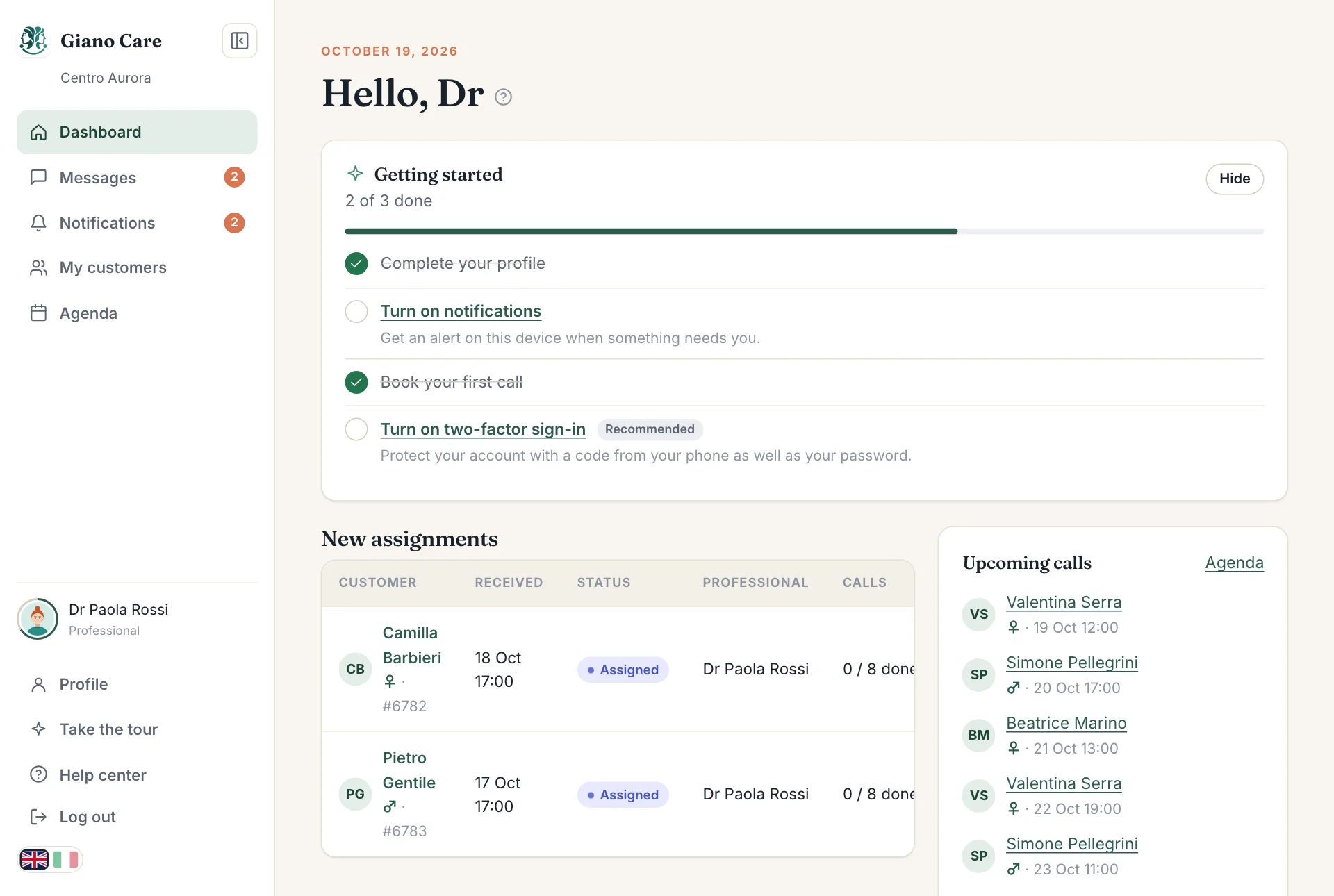
As a professional you see only the people a manager assigned to you. Your dashboard shows your New assignments and your Upcoming calls.
My customers
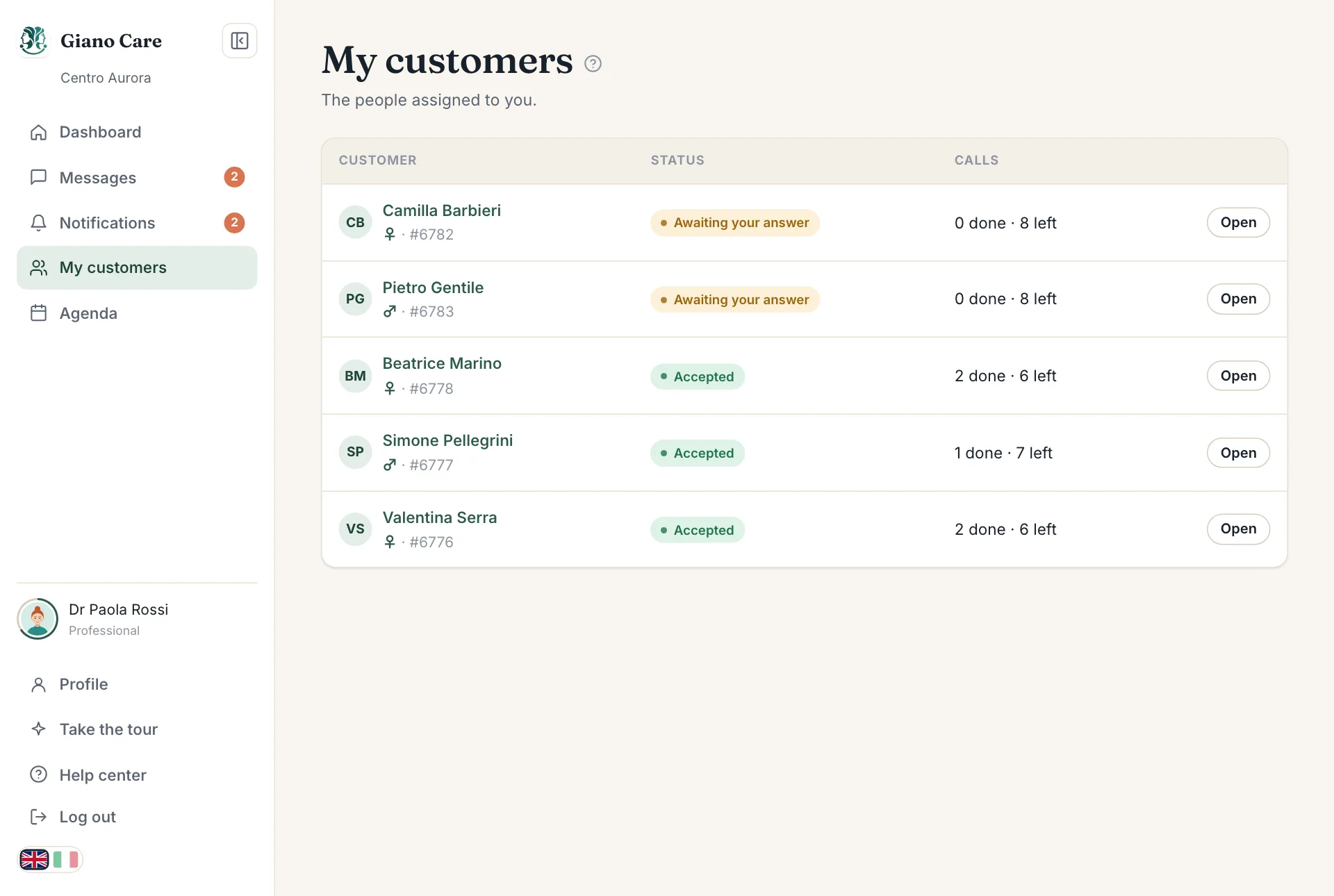
My customers, in the side menu, lists everyone assigned to you. For each person you see their status and how many calls are done and left. Those you still have to answer are marked Awaiting your answer.
Accept or decline
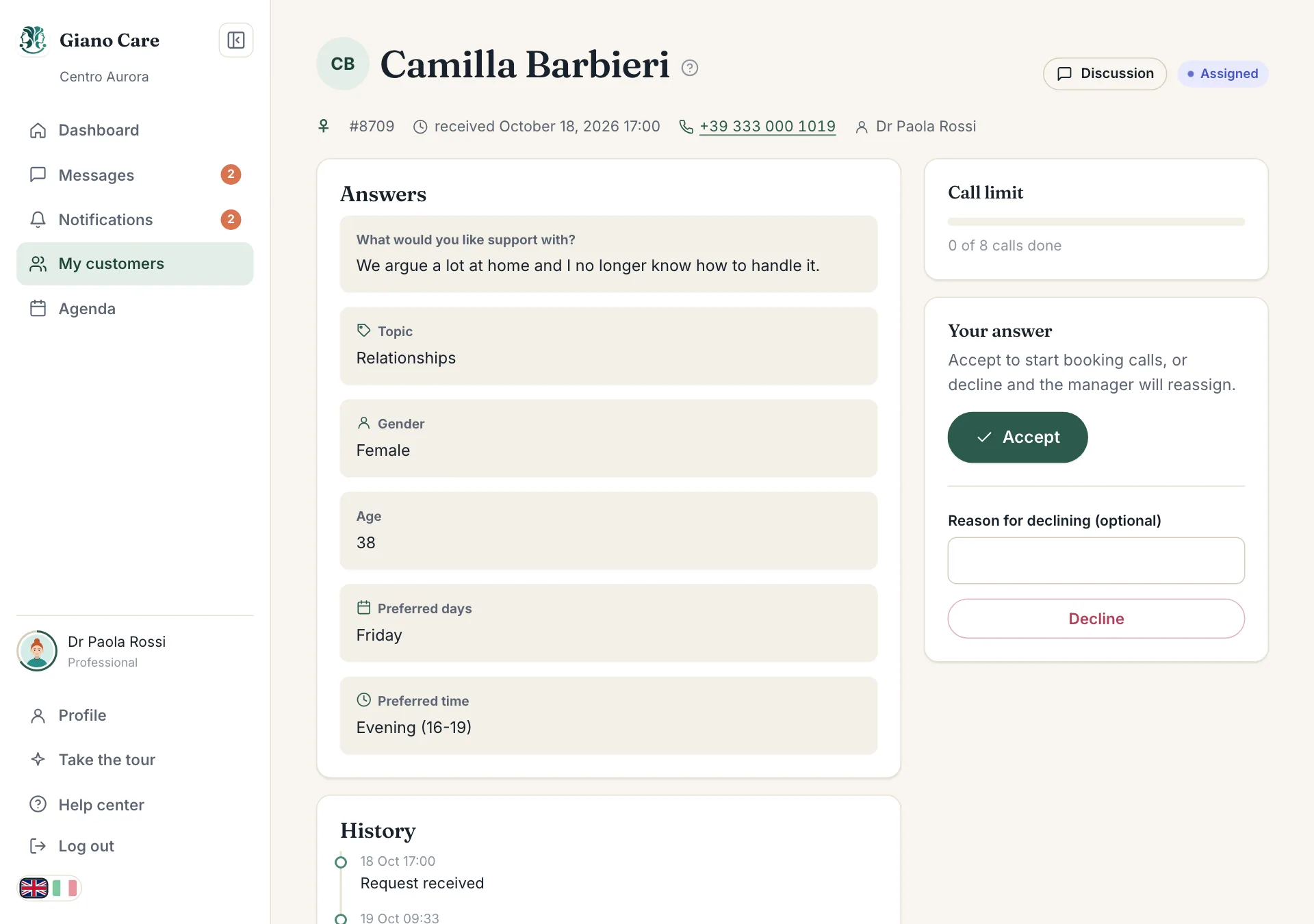
When a manager assigns someone to you, you get a notification. Open the request to read their answers and any note from the manager, then choose under Your answer:
- Accept to start looking after them. You can now book calls: see Book and record calls.
- Decline if you can’t take them, for example because your agenda is full. Add a reason if it helps the manager: it is optional, and the manager sees it. The request goes back to the manager, who assigns someone else.
Answer soon: the person is waiting for a call, and the manager can only reassign once you have declined.
Changed your mind?
You can still decline a request after accepting it, with the Decline button on the request. It goes back to the managers as pending, and they are notified.