 Giano Care
Your profile
Your picture, bio and phone, how you want to be notified, and your sign-in security.
Open Profile at the bottom of the side menu. Your profile belongs to the organization you are in: you can have a different picture, phone and notification choices in each one.
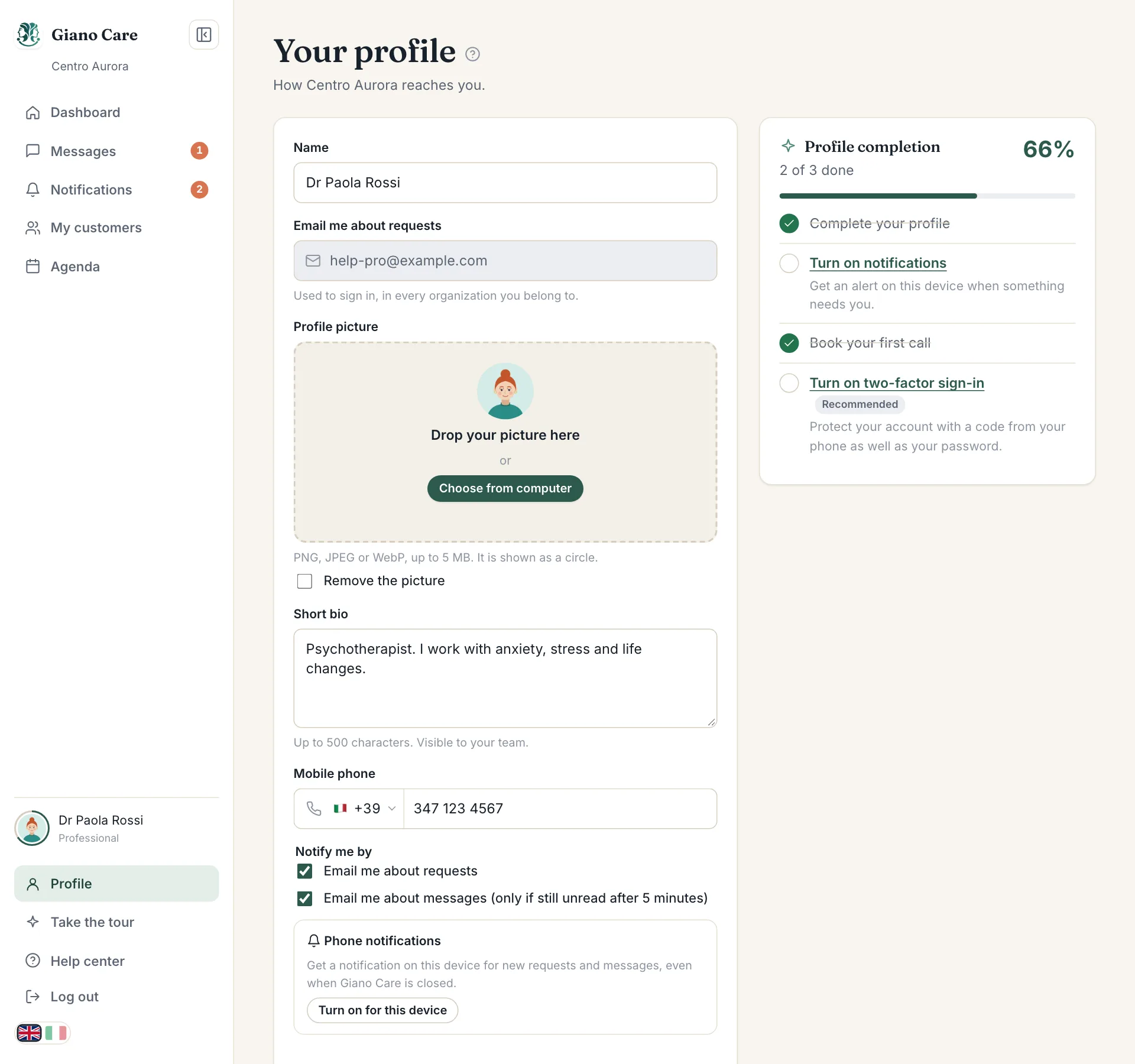
Picture and bio
- Profile picture: drop a PNG, JPEG or WebP picture (up to 5 MB) or choose one from your computer. It is shown as a circle next to your name across Giano Care.
- Short bio: up to 500 characters, visible to your team, such as “Psychotherapist, I work with anxiety and grief”.
Name, email and phone
- Name: how colleagues see you.
- Email: used to sign in, in every organization you belong to.
- Mobile phone: with its international prefix. It is needed for WhatsApp notifications.
Notifications
Under Notify me by:
- Email me about requests: new requests, assignments, answers.
- Email me about messages: only if a message is still unread after five minutes, and never with its text.
- WhatsApp: if your organization has the WhatsApp add-on, tick the consent box to receive work notifications on WhatsApp at your mobile number. Your number is shared with Meta, which delivers the messages; you can switch it off at any time.
Everything always appears in Notifications and Messages when you sign in, whatever you choose here.
Phone notifications
Phone notifications turns on notifications for the device you are using. See Notifications.
Getting started
The side panel lists the getting-started steps for your role, with a percentage. The ring around your picture fills up as you complete them.
Security
The Two-factor authentication card turns on a second sign-in step with a code from your phone. See Two-factor sign-in.
Press Save profile when you are done.