 Giano Care
Your agenda
Your calls, week by week.
For professionals
Agenda, in the side menu, shows the calls you booked, one week at a time.
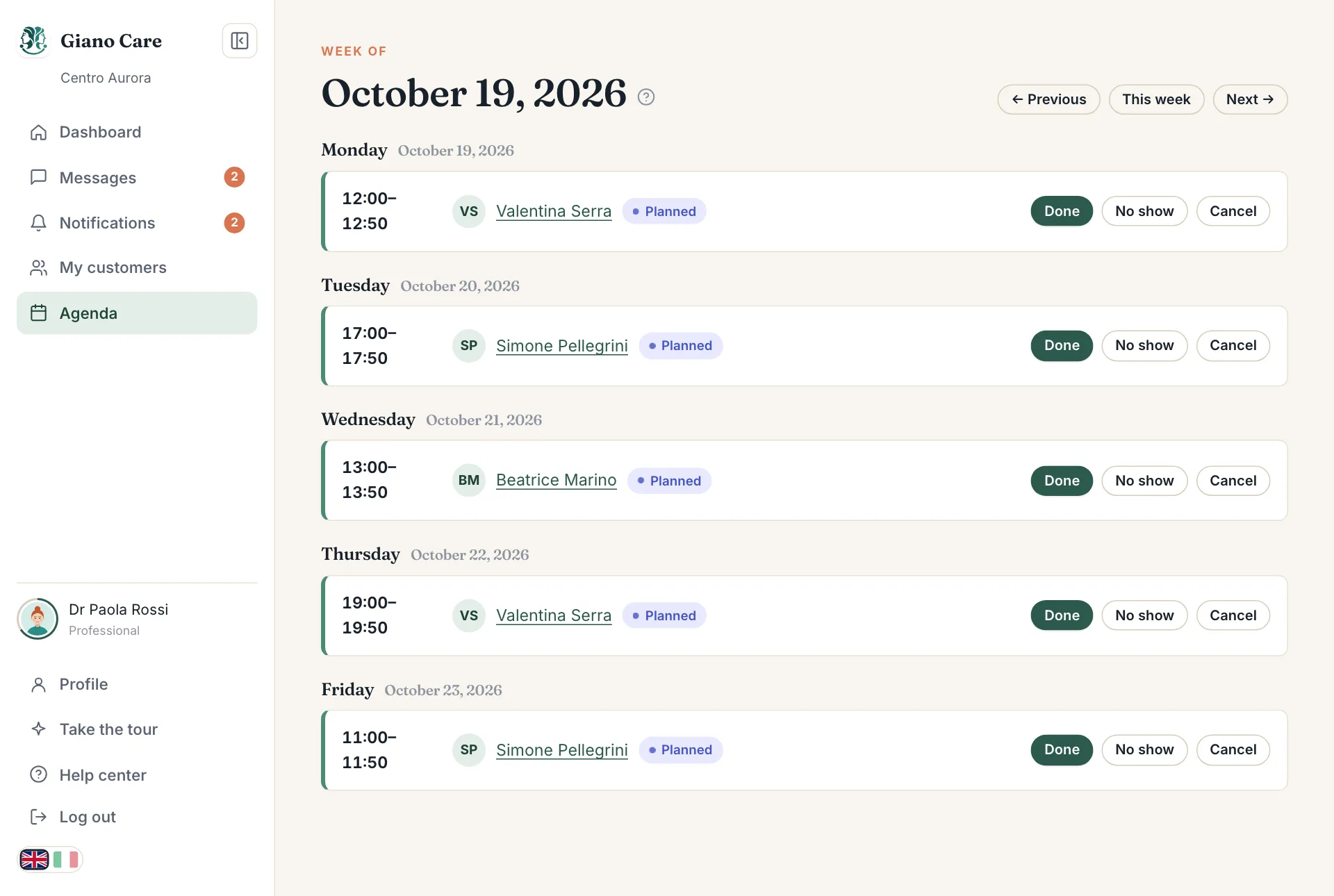
Move between weeks
Use Previous and Next to move by one week, and This week to come back to today.
What you see
Each day lists its calls with their start and end time, the person and the call’s status: Planned, Done, No show or Cancelled.
After a call, mark it Done, No show or Cancel right here, without opening the request. Click the person’s name to open their request, for example to read their answers or add notes.
Book from the request
You book calls from each person’s request page, not from the agenda: that way every call is tied to the right person and counted against the right call limit. See Book and record calls.
Your dashboard also lists your Upcoming calls, so the next ones are there as soon as you sign in.